 Color Ring
The Best Coloring Apps for iPad in 2026
Compare the best coloring apps for iPad: real App Store ratings, prices and Apple Pencil support for Pigment, Lake, Happy Color and more. Pick yours.
Looking for the best coloring apps for iPad? We build one of them — Color Ring — so we spend a lot of time inside the others too. Below are eight apps worth your time, what each one does best, and what it really costs. To keep it fair, every rating and price comes from the US App Store listing on 3 November 2026, not from our opinion.
Disclosure: Color Ring is our app. We list it first because this is our blog, and we tell you where other apps are the better choice.
Quick picks
- Best for contests and coloring with friends: Color Ring
- Best realistic brushes and biggest library: Pigment
- Best hand-drawn indie art: Lake
- Best color-by-number: Happy Color
- Best for coloring your own PDF pages: Procreate
- Best cozy, small-batch books: Zenful
Coloring apps for iPad compared
| App | Best for | Coloring style | Apple Pencil | App Store rating | Paid plans listed |
|---|---|---|---|---|---|
| Color Ring | Contests, SharePlay | Brushes + fill | Pressure & tilt | 4.5 (94 ratings) | $4.99/wk, $9.99/mo, $49.99/yr, $99.99 lifetime |
| Pigment | Realistic brushes | Brushes + tap-to-fill | Yes | 4.6 (220K) | From $4.99/wk, $9.99/mo |
| Lake | Indie illustrations | Brushes + fill | Yes | 4.6 (82K) | $2.99/wk, $9.99/mo, $39.99/yr |
| Happy Color | Color by number | Tap-to-fill | Not needed | 4.8 (3.4M) | Ads removal $7.99, $49.99/yr |
| Procreate | Your own PDFs | Full painting | Full support | 4.4 (51K) | $12.99 one-time |
| Recolor | Large catalog | Fill + effects | Yes | 4.5 (107K) | From $9.99 |
| Colorfy | Quick mandalas | Tap-to-fill | Not needed | 4.7 (327K) | From $2.99 |
| Zenful | Cozy books | Fill + brushes | Yes | 4.4 (34 ratings) | $3.99/wk, $9.99/mo, $34.99/yr |
Prices are what each listing shows for the US store. Many apps list several prices for the same plan (older tiers, regional offers), so you may see a different number in the app.
1. Color Ring — best for contests and coloring together

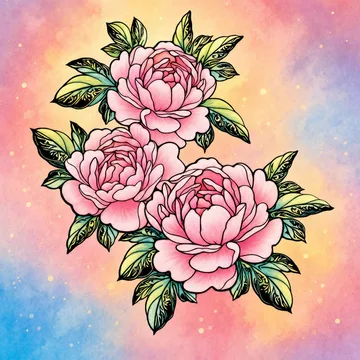
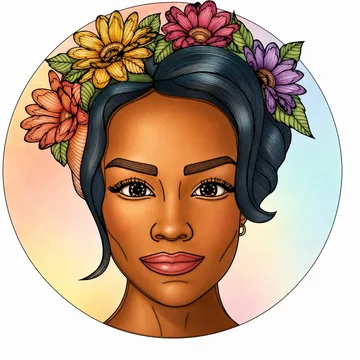
Color Ring is a coloring book for adults with more than 4,000 pages from over 100 artists, from detailed portraits and flowers to mandalas and animals. You color with 30 brushes and gradients and can add 26 real textures such as canvas, glitter and stone. With an Apple Pencil, pressure and tilt change the stroke the way they would on paper.
Two things you won’t find in most coloring apps:
- Weekly contests with real prizes. A new contest starts every week; the works with the most likes win gifts such as AirPods, an Apple Pencil or an iPad.
- SharePlay. Start a FaceTime call and color the same picture with a friend in real time.
Price: many pages and all contests are free. Premium unlocks every page and tool and removes ads: $4.99 a week, $9.99 a month, $49.99 a year or $99.99 once.
Pick it if you want a social, gift-winning side to your hobby. Skip it if you only want color-by-number.
2. Pigment — best realistic brushes
Pigment is the long-standing favorite of digital colorists. It simulates colored pencils, markers and paintbrushes, with more than 30 tools including watercolor, pastel and airbrush. The developer lists over 10,000 pages, with more than 800 available to free users. You can switch between tap-to-fill and freehand modes, so it suits beginners and advanced colorists alike.
Price: Premium Access is listed from $4.99 a week or $9.99 a month.
Pick it if you want brushes that feel like real art supplies and the largest library.
3. Lake — best for hand-drawn indie art
Lake works only with independent illustrators — more than 1,500 exclusive drawings from 100+ artists — and shares subscription revenue with them. It won an Apple Design Award in 2017. Calm extras include an ASMR brush-sound mode, mood palettes and a coloring journal.
Price: $2.99 a week, $9.99 a month or $39.99 a year.
Pick it if curated, artistic drawings matter more to you than library size.
4. Happy Color — best color-by-number
Happy Color is the most-rated app on this list by far: 3.4 million ratings in the US alone. Every picture is numbered — tap a color, tap the matching areas, watch the image appear. The developer lists more than 50,000 free pictures. It is free with ads; ad removal is $7.99.
Pick it if you want zero decisions and a quick, meditative fill. Skip it if you want to choose your own colors.
5. Procreate — best for coloring your own PDF pages
Procreate isn’t a coloring app — it’s a full illustration app — but many colorists use it with coloring pages bought on Etsy. Import a PDF or PNG, put the line art on its own layer and color underneath with any brush. It is a one-time $12.99 purchase with no subscription.
Pick it if you already buy printable pages and want total control.
6. Recolor — best big catalog with effects
Recolor offers a large catalog of mandalas, animals and patterns, plus effects and a community feed. Its listing shows many premium options, from $9.99 up.
Pick it if you like browsing a huge mix of styles.
7. Colorfy — best for quick mandalas
Colorfy focuses on fast tap-to-fill coloring of mandalas, florals and patterns, and works offline. It’s free with ads; Colorfy Plus is listed from $2.99.
Pick it if you want short, simple sessions.
8. Zenful — best cozy coloring books
Zenful is a newer app built around cozy, themed coloring books with a free daily page. It has only a few dozen US ratings so far, so treat it as a promising newcomer.
Price: $3.99 a week, $9.99 a month or $34.99 a year.
How to choose a coloring app for iPad
Tap-to-fill or brushes? Tap-to-fill apps (Happy Color, Colorfy) fill an area with one tap — relaxing and fast, but the result looks flat. Brush apps (Color Ring, Pigment, Lake) let you shade, blend and use gradients, which is closer to real coloring.
Do you have an Apple Pencil? Pressure and tilt only matter in brush apps. If you color with a finger, a tap-to-fill app may feel better.
Who drew the pages? Apps with named artists (Color Ring, Lake, Pigment) usually have more detailed line art than generic or AI-generated pages.
How do you want to pay? Most apps are free to start with a weekly, monthly or yearly plan. A yearly plan is usually 70–80% cheaper per week. If you dislike subscriptions, look for a lifetime option (Color Ring) or a one-time app (Procreate).
Ads and privacy. Free tiers often show ads. Check the App Store privacy section before you install.
FAQ
What is the best free coloring app for iPad?
For free content, Happy Color (50,000+ free numbered pictures) and Pigment (800+ free pages) are the most generous. Color Ring keeps many pages and all contests free.
Which coloring app works best with Apple Pencil?
Brush-based apps: Pigment, Lake and Color Ring. Color Ring and Pigment react to pressure, and Procreate offers full pencil control for your own pages.
Can I color PDF coloring pages on iPad?
Yes. Import the PDF into Procreate or into an app with import (Color Ring, Pigment and Lake let you import your own images) and color it there.
Does coloring really help you relax?
Research suggests it can. In a 2005 study published in Art Therapy, adults who colored structured patterns such as mandalas for 20 minutes reported lower anxiety than those who drew freely (Curry & Kasser). Many people simply find it a calm, screen-friendly break.
Ratings and prices: US App Store, checked 3 November 2026. Written by the Color Ring team.